- Why Staying on Track With Screening Matters
- Common Challenges in Remembering Screening Appointments
- Digital Calendars and Scheduling Tools
- Healthcare Patient Portals
- Mobile Apps for Health Tracking
- Text, Email, and Phone Reminders
- Combining Technology With Personal Support
- Choosing the Right Reminder Tools
- Addressing Privacy and Security Concerns
- Accessibility and Technology Use
- Using Multiple Reminder Methods
- Reducing Stress Through Organization
- Encouraging Consistency Over Time
- Working With Healthcare Providers to Stay Organized
- Key Takeaways About Using Technology for Screening
- Conclusion
Keeping up with cancer screening schedules can be challenging, especially when screenings occur months or years apart. Technology and reminder tools can help individuals stay organized and complete screenings on time.
From digital calendars to patient portals, technology offers practical ways to support screening awareness and follow-through.
This article explains how technology and reminders can help people stay on track with cancer screening and why these tools are useful for long-term health planning.
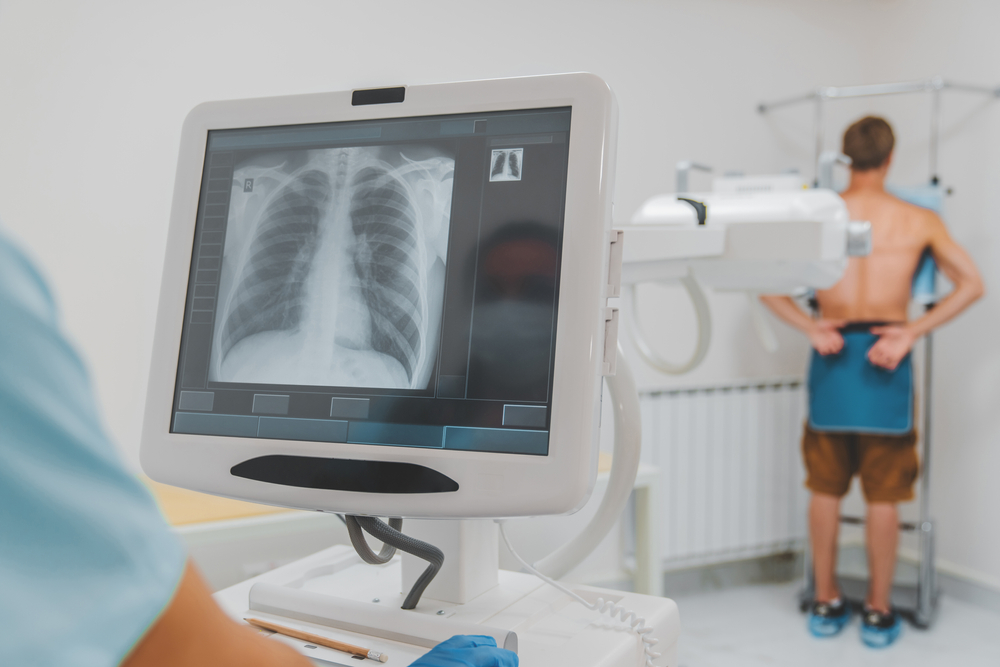
Why Staying on Track With Screening Matters
Cancer screening is most effective when completed at recommended intervals. Missing or delaying screenings can reduce the benefits of early detection.
Staying on track helps:
- Maintain consistent screening schedules
- Reduce the chance of missed appointments
- Support timely follow-up when needed
Organization and reminders play a key role in making screening part of routine healthcare.
Common Challenges in Remembering Screening Appointments
Many people forget screening appointments because they occur infrequently or compete with daily responsibilities.
Common challenges include:
- Long gaps between screenings
- Busy work or family schedules
- Multiple healthcare providers and appointments
Technology-based reminders can help overcome these challenges.
Digital Calendars and Scheduling Tools
Digital calendars are a simple and effective way to track screening appointments.
Using calendar tools allows individuals to:
- Set reminders weeks or months in advance
- Receive alerts before appointments
- Coordinate screening with other commitments
These tools are widely available on smartphones, computers, and tablets.
Healthcare Patient Portals
Many healthcare systems offer patient portals that provide access to medical records, appointments, and reminders.
Patient portals may:
- Send automated screening reminders
- Allow online appointment scheduling
- Store screening history and results
Using patient portals can simplify screening management.
Mobile Apps for Health Tracking
Health and wellness apps can also help track screening schedules and health information.
Some apps allow users to:
- Log screening dates and results
- Set recurring reminders
- Store personal health notes
Choosing apps that prioritize privacy and security is important.
Text, Email, and Phone Reminders
Reminder systems using text messages, emails, or phone calls are commonly used by healthcare providers.
These reminders can:
- Confirm upcoming appointments
- Reduce missed visits
- Prompt scheduling of overdue screenings
Reminder preferences can often be customized.
Combining Technology With Personal Support
Technology works best when combined with personal support and communication.
Sharing screening schedules with trusted family members or caregivers can provide additional reminders and encouragement.
For communication support, see:
Talking to Your Care Team Long-Term
Choosing the Right Reminder Tools
Not all reminder tools work the same way for everyone. Choosing the right tools depends on personal preferences, comfort with technology, and access to devices.
When selecting reminder tools, it may help to consider:
- How often you use digital devices
- Whether you prefer alerts, emails, or written reminders
- If you want reminders linked to healthcare records
Using tools that fit naturally into daily routines increases the likelihood of consistent use.
Addressing Privacy and Security Concerns
Privacy is an important consideration when using technology to manage health information.
To protect personal information, individuals may:
- Use secure passwords and device locks
- Choose trusted apps and healthcare platforms
- Review privacy settings and permissions
Healthcare providers and patient portals typically follow privacy standards to protect sensitive information.
Accessibility and Technology Use
Technology-based reminders should be accessible and easy to use. Some individuals may prefer simpler tools, such as phone calls or written reminders.
Accessibility considerations may include:
- Visual or hearing needs
- Comfort with smartphones or computers
- Language preferences
Choosing accessible options ensures reminders are helpful rather than stressful.
Using Multiple Reminder Methods
Some people find it helpful to use more than one reminder method.
For example, combining a digital calendar reminder with a text message alert can provide extra reassurance.
Using layered reminders can reduce the chance of missed screenings.
Reducing Stress Through Organization
Staying organized with screening schedules can reduce anxiety related to forgetting appointments or missing important health steps.
Having reminders in place allows individuals to focus on daily life without constant worry about timelines.
Organization supports peace of mind and confidence in health management.
Encouraging Consistency Over Time
Cancer screening often continues over many years. Reminder systems help maintain consistency even as life circumstances change.
Updating reminders after each screening ensures future appointments remain on track.
Regular use of reminder tools supports long-term screening habits.
Working With Healthcare Providers to Stay Organized
Healthcare providers can help set up reminder systems and ensure screening schedules are clear.
Discussing reminder preferences with providers may help:
- Align reminders with recommended screening intervals
- Clarify follow-up timelines
- Reduce confusion about next steps
Clear communication supports effective use of technology and reminders.
For guidance on maintaining communication, see:
Talking to Your Care Team Long-Term
Key Takeaways About Using Technology for Screening
Technology and reminder tools can play a valuable role in helping individuals stay on track with cancer screening schedules.
Key points to remember include:
- Reminders help prevent missed or delayed screenings
- Different tools suit different preferences and needs
- Privacy and accessibility should be considered
- Organization supports long-term screening habits
Using the right tools can make screening feel more manageable and less stressful.
Conclusion
Using technology and reminders to stay on track with cancer screening supports early detection and informed health management. Simple tools such as digital calendars, patient portals, and reminder messages can make a meaningful difference.
By choosing tools that fit personal preferences and maintaining open communication with healthcare providers, individuals can build reliable screening habits over time.
Further Reading — Trusted Resources on Technology & Cancer Screening Reminders: